

Pipeline
The Pipeline workspace is the graph on a canvas. Its menu row: Edit (including fit, grid, and minimap), Sources, Process (every operation, a submenu per family, plus saved Recipes), Script, Model, and Output.
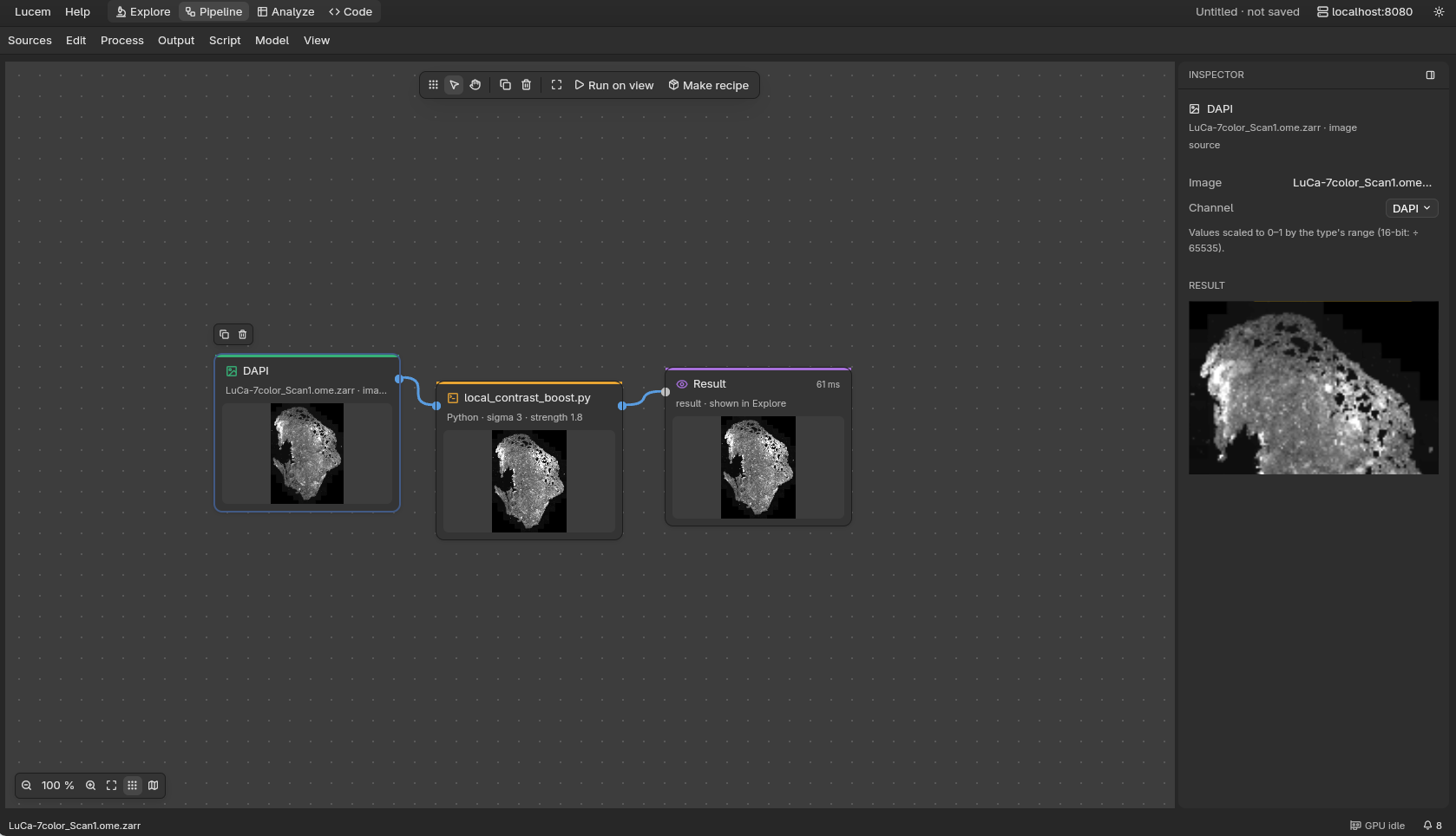
- Add a node from a menu, the search, or by dragging; connect an output port to an input port of the same type (the port colours: image, mask, labels, table).
- Select a node to edit its settings in the Inspector (drag scrubbers or click to type exact values). Model nodes run only when you press Run there.
- Click Make recipe in the floating toolbar (or unselected Inspector) to save the current GPU
op chain as a shareable
.lucem-recipe.json. - The bar at the bottom left zooms, fits the graph (F), and turns the dot grid and the minimap on or off.
The graph is saved in the project’s pipeline.json and runs headless with lucem run.