

Code workspace
The Code tab (shortcut 4) is a lightweight, Zed-inspired editor built directly into Lucem for
writing and iterating on custom Python and Rust operations.
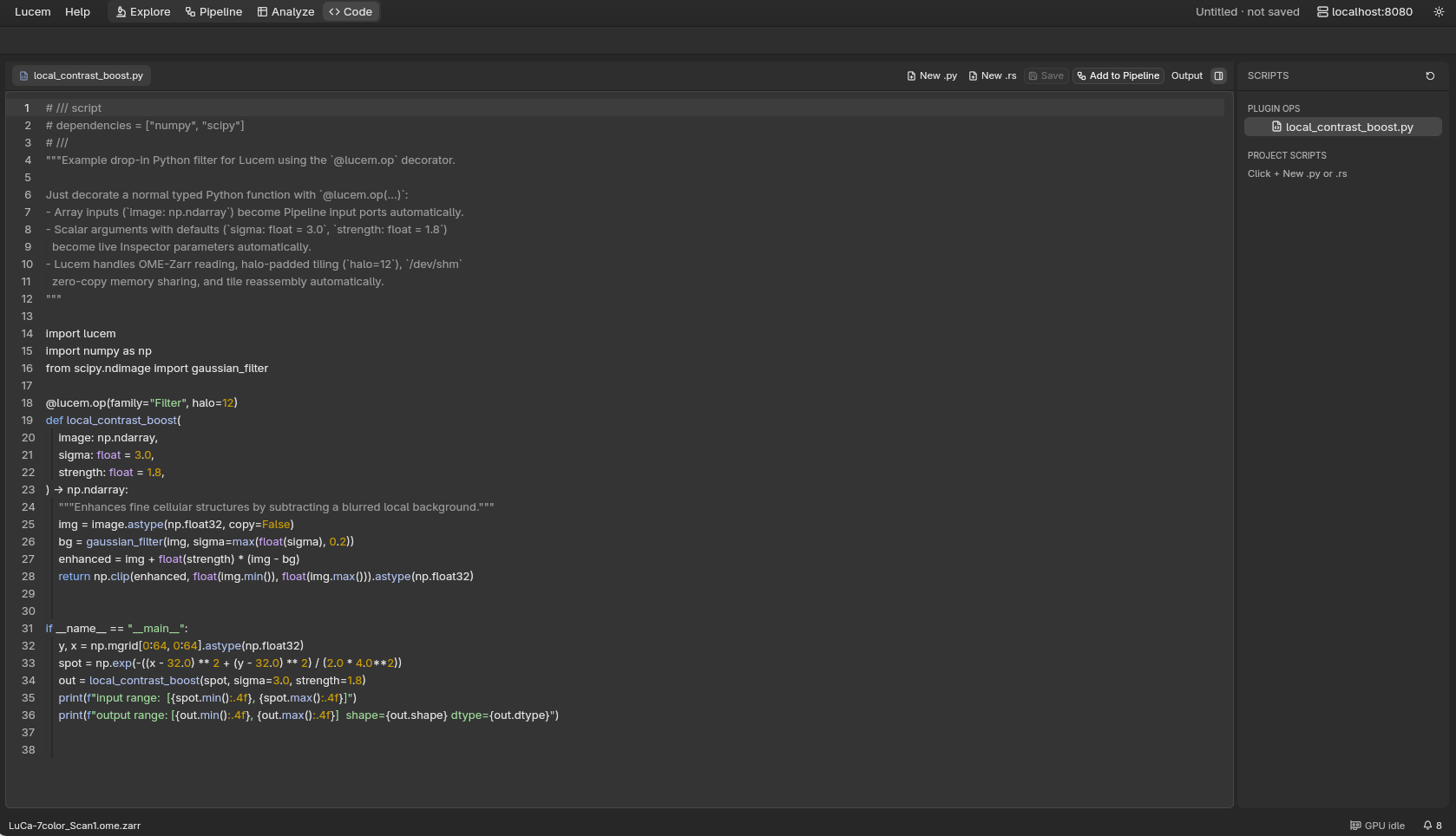
Layout
Section titled “Layout”- Top tab bar — active script tab (with unsaved dot
•),+ New .py,+ New .rs, Save, Add to Pipeline, and toggles for the bottom Output drawer and right Scripts tree. - Center editor — full-height syntax-highlighted code editor (
kitchen-ui’sCodeViewpowered by pure-Rustsyntecton both desktop and WebAssembly) with built-in LSP autocompletion (lucem.*,np.*,scipy.ndimage.*,@lucem.*decorators, and local symbols), Markdown hover popovers, and inline diagnostics (Astralruff checkwhen installed, falling back to Pythonast.parse). - Bottom Output drawer — live
@lucem.op/# lucem:header validator (shows parsedinputs,params,output, andhaloas you type) plus save/load logs. - Right Scripts tree — browses
~/.config/lucem/plugins/ops(Plugin Ops) and~/.config/lucem/scripts(Project Scripts).
Zero-copy warm Python workers
Section titled “Zero-copy warm Python workers”When a Python script runs on image tiles:
- Lucem reads the
# /// script(PEP 723) dependency header and launches an isolated cacheduv run --no-projectvirtual environment once per dependency set. - A persistent warm Python worker stays alive between tile runs (hot-reloading edited files by SHA-256) so heavy imports (
numpy,scipy,torch,onnxruntime) are paid only once. - Tile buffers are exchanged through RAM-backed
/dev/shmshared memory (np.memmap(..., mode="r")), avoiding disk I/O and buffer copies.
Desktop vs. lucem serve --web vs. GitHub Pages
Section titled “Desktop vs. lucem serve --web vs. GitHub Pages”Reads and writes ~/.config/lucem/plugins/ops and project scripts/ directly on disk and runs
warm Python workers locally.
Connects to the server’s /api/env and /api/scripts/* endpoints: configure the server’s
Python/.venv under Settings › Environment, edit scripts in Code, and add
them to your Pipeline.
Runs standalone in WebAssembly with no server; Code opens an editable Python scratchpad so you can explore the header syntax before running locally or on a server.